Stop writing release notes.
Let your commits do it.
Connect your repo, pick a commit range, click Generate. That's it. Platform-formatted release notes for iOS App Store, Google Play, and Web — without opening a single spreadsheet or begging a PM for the template.
Built for developers who ship across multiple platforms and have better things to do with 30 minutes than reformatting the same bullet points three times. (Like closing the 47 browser tabs you opened during that refactor.)
5 free releases — no credit card required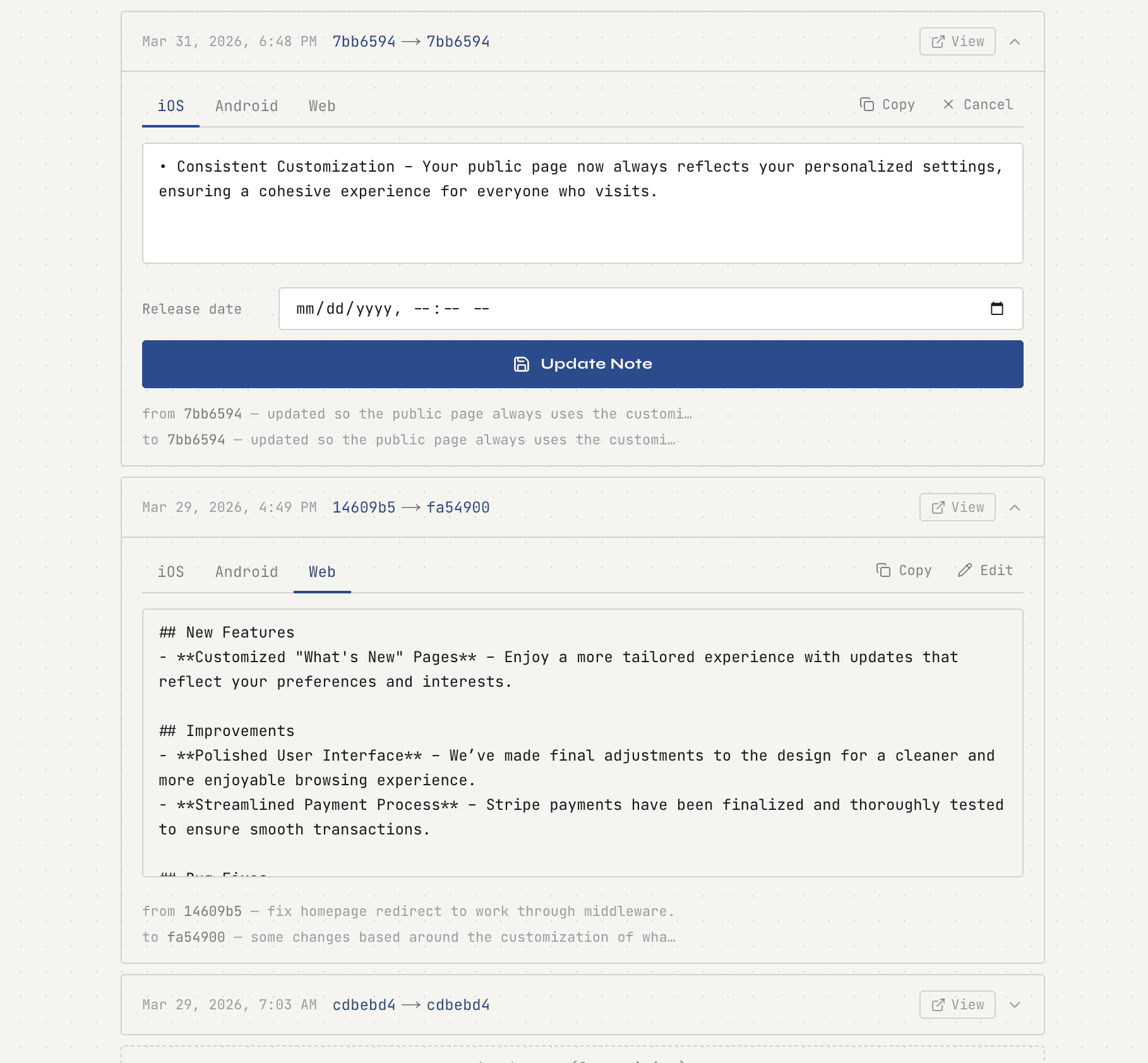
Two tools, one workflow
Generate release notes. Publish a changelog.
Patch Notes solves two problems at once: generating internal release notes for app store submissions, and publishing a customer-facing changelog your users can actually find. Two birds, one very boring stone.
Release Note Generator
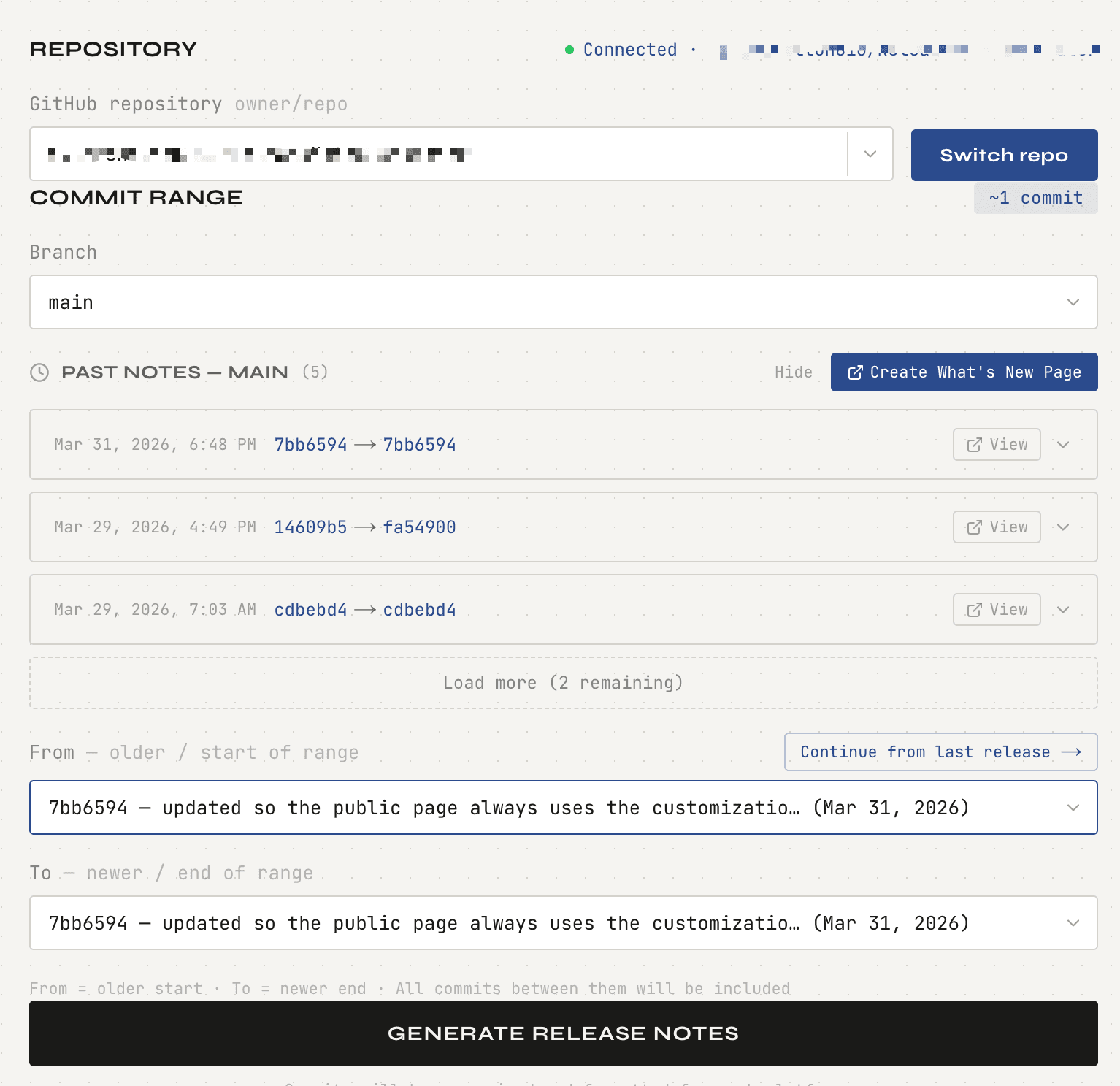
Select a commit range from your GitHub repo, click Generate, and get platform-ready release notes. Formatted for iOS App Store (4,000 chars), Google Play (500 + 4,000 chars), and Web/Markdown. One-click copy per platform.
Public Changelog Page
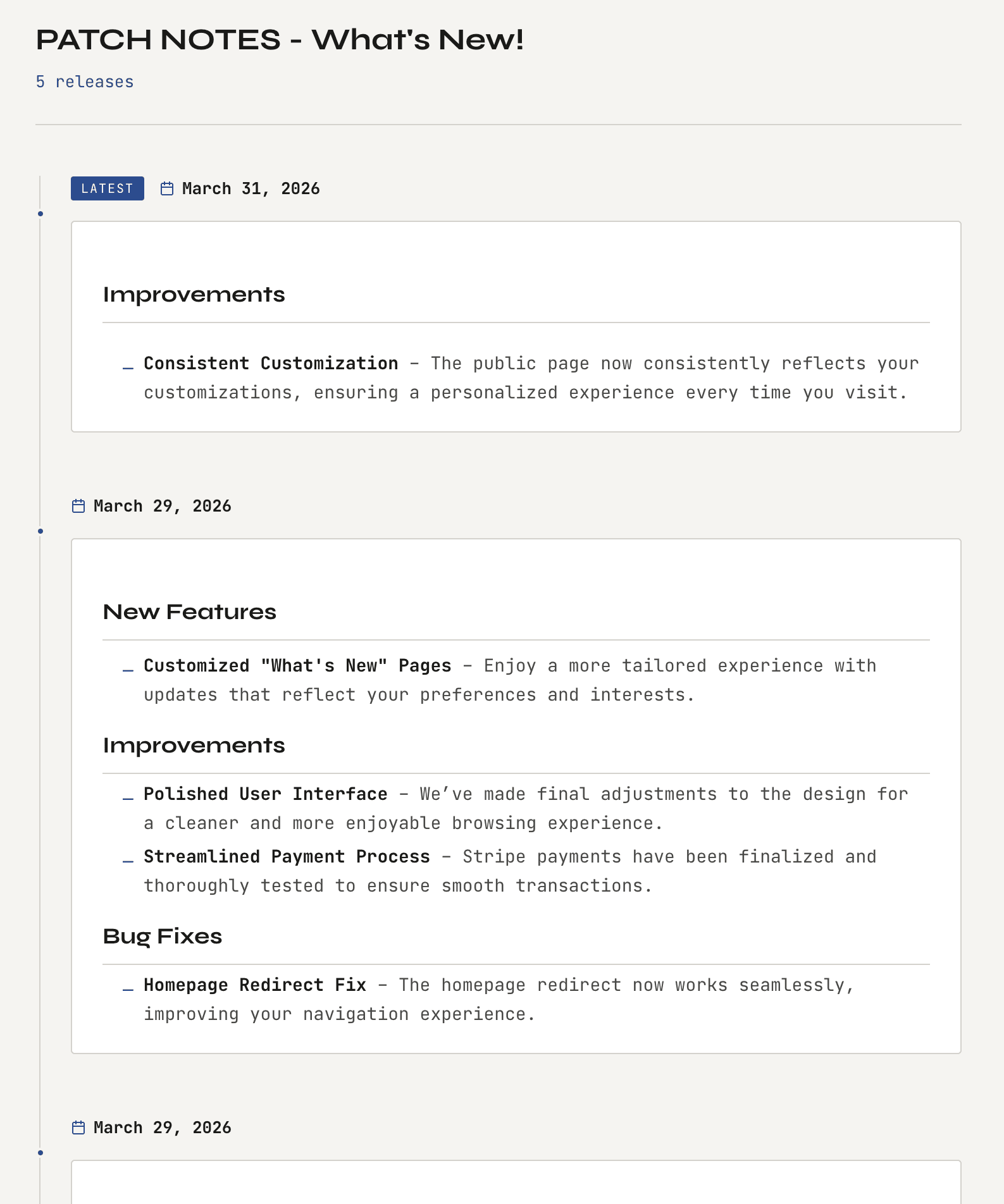
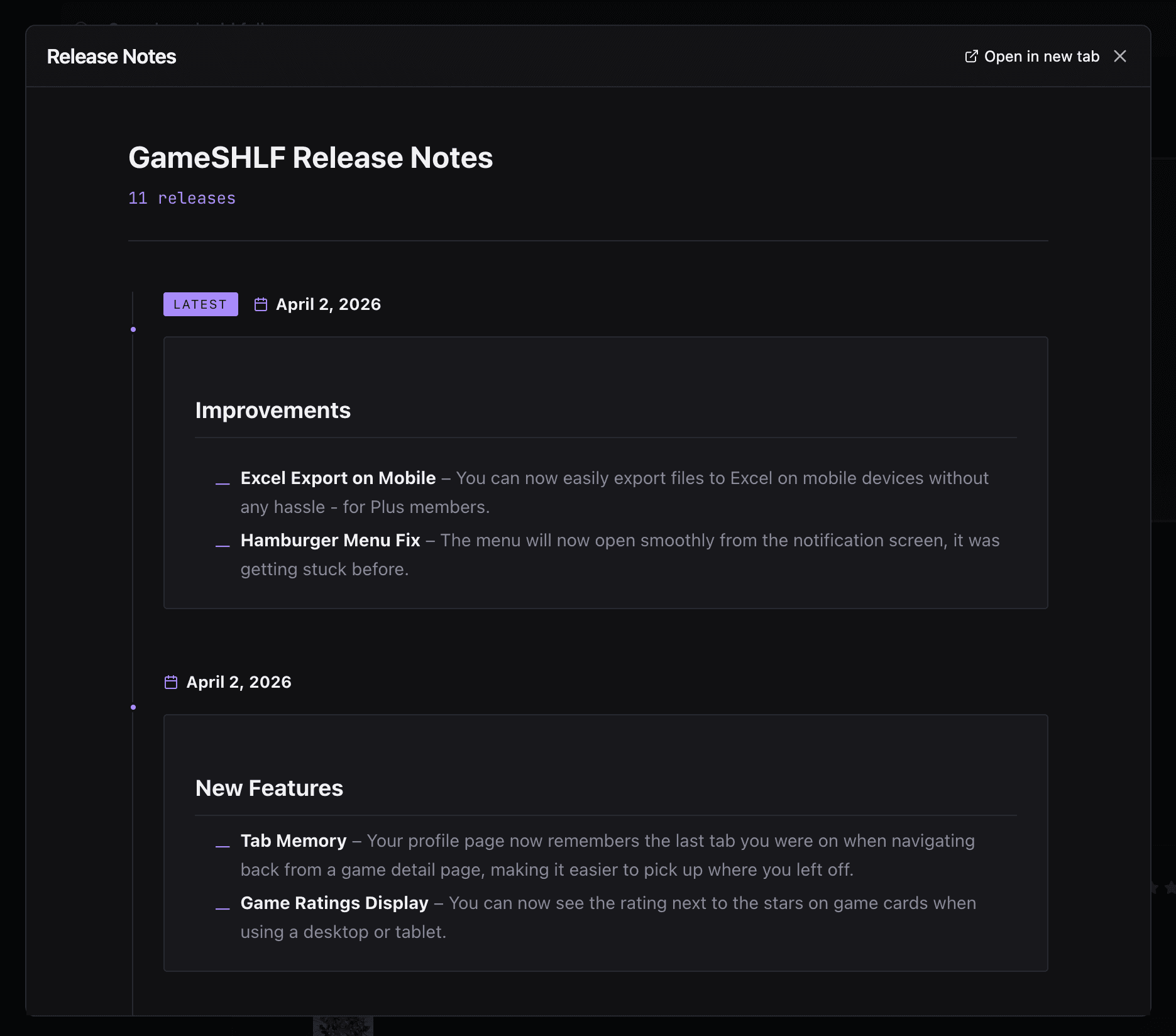
Every release you generate is saved and published to a shareable “What's New” page. Give your users a single URL where they can always see your latest updates. Customizable themes and brand colors on Pro.
Before and after
Without Patch Notes
- xOpen GitHub, filter commits manually
- xCopy-paste into a doc, rewrite for humans
- xTrim to 500 chars for Google Play (count manually, obviously)
- xStrip markdown for iOS App Store because Apple said so
- xFormat a separate version for your changelog
- xRealise you missed a PR, start over. It's fine.
30–45 minutes per release. Every release. Forever. (And yes, someone always asks for a Notion version too.)
With Patch Notes
- Connect your repo once, reuse it forever
- Select a commit range with dropdowns (groundbreaking)
- Click Generate — AI writes the notes
- iOS, Google Play, and Markdown formatted instantly
- Public changelog page updated automatically
- One-click copy per platform.
15 seconds. Then you can go touch grass.
Four steps
How it works
1. Connect your repository
Authenticate with GitHub OAuth. Tags, branches, and commit history load automatically. You won't need to touch a config file.
2. Select "From" and "To"
Pick your commit range using tags, branches, or SHAs. Expand the preview panel to see every commit before you commit to it.
3. Click Generate
AI reads your commits and PRs and writes clean release notes for each platform — handling character limits, markdown rules, and all the other nonsense you shouldn't have to care about.
4. Copy and ship
Switch between iOS (4,000 chars), Google Play (500 + 4,000 chars), and Web/Markdown tabs. One-click copy. You're done.
Multi-platform
Platform-ready output
Each platform has different formatting rules and character limits. We handle all of them automatically.
iOS App Store
4,000 characters
Plain text output, no markdown. Trimmed to Apple's requirements.
Google Play
500 + 4,000 characters
Short description and full release notes, separately formatted. Because Google wants two things.
Web / Markdown
No limit
Full Markdown output. The one format where nobody is watching the character count. Enjoy it.
Customer-facing
A “What's New” page your users will actually visit
Every release note you generate is automatically saved and published to a public changelog URL. Share it with your users, embed it in your app, or link it from your support docs. It's the page users actually want to find — instead of a 6-month-old Medium post titled "What's new in v2.0".
- Shareable URL per repository
- Automatic updates with each release
- Custom themes and brand colors (Pro)
- No code required — it just works (we're as surprised as you)
Built for
Developers and PMs who ship regularly
Solo Developers
You ship fast and you know it. Stop burning 30 minutes per release on documentation nobody reads until something breaks.
Small Engineering Teams
Standardize your release docs across the team. Everyone generates notes the same way, every time. No more "which format does Apple want again?"
Technical PMs
Stop chasing devs for release summaries. Pull directly from the commit history and get stakeholder-ready notes without a single Slack message.
Faster than finding the Notion doc you used last time
iOS, Google Play, Web — all formatted correctly
A real URL.
Simple pricing
Start free. Scale when you need to.
No credit card required for the free tier. Upgrade or cancel anytime.
Trial
Free
no card required
5 total releases
- All 3 platforms
- Commit preview
Basic
$9/mo
billed monthly
10 releases/month
- All 3 platforms
- Commit preview
- Public changelog
Pro
Popular$19/mo
billed monthly
50 releases/month
- All 3 platforms
- Commit preview
- Public changelog
- Custom themes
- Brand colors
Lifetime
Limited$99
one-time payment
25 releases/month
- All Pro features
- 75 bonus credits
- Never expires
Common questions
Frequently asked questions
How does this generate release notes from GitHub?
Connect your repo via GitHub OAuth, select a commit range (tags, branches, or SHAs), and click Generate. We fetch your commit messages and PR titles, run them through AI summarization, and format the output per platform — character limits, markdown rules, and all. You copy, you paste, you ship.
What platforms do you format release notes for?
Three platforms: iOS App Store (plain text, 4,000 char limit), Google Play (500 char short description + 4,000 char full notes), and Web/Markdown.
What is the public changelog page?
Every release note you generate is saved and published to a public URL specific to your repository. Share this URL with your users, link it from your app, or embed it in your support documentation. Users see a clean, branded "What's New" page.
Can I use this as a Technical PM or Release Manager?
Absolutely. You no longer need to Slack a developer and ask what shipped. Pull directly from the commit history and generate consistent release documentation yourself. Developers will appreciate it too.
Do I need a credit card to start?
No. The Trial plan gives you 5 releases completely free with no credit card required. If you need more, upgrade at any time.
Can I cancel my subscription at any time?
Yes. You can cancel directly from your dashboard. Your access continues until the end of your current billing period. No lock-in contracts.
Your next release in 15 seconds.
You built the software. You committed the code. The release notes should write themselves. So we made that happen. You're welcome, and also sorry it took this long.
5 free releases — no credit card required